Using promo codes

        A promo code is a special code consisting of letters and numbers, that can save additional discount at checkout.

        How to use a promo code?

        Promo code not working?

        Add item to the shopping cart
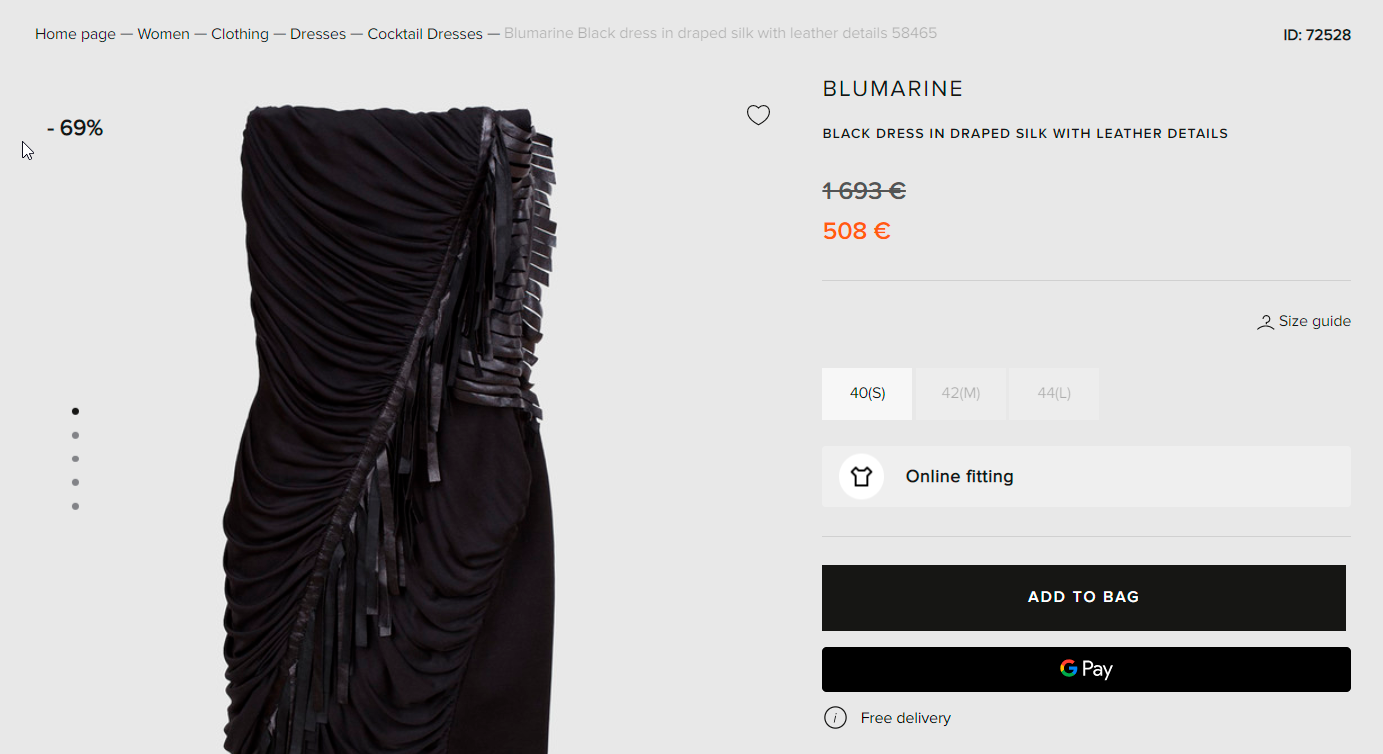
        Symbol

        Go to the shopping cart and click Checkout
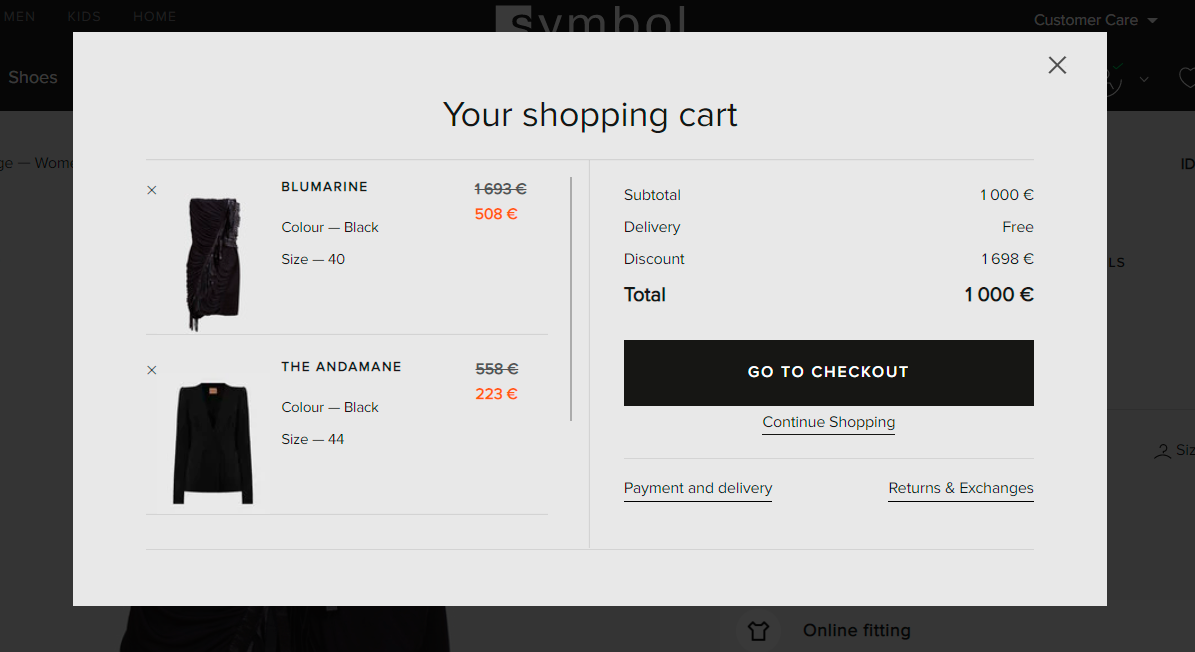
        Symbol

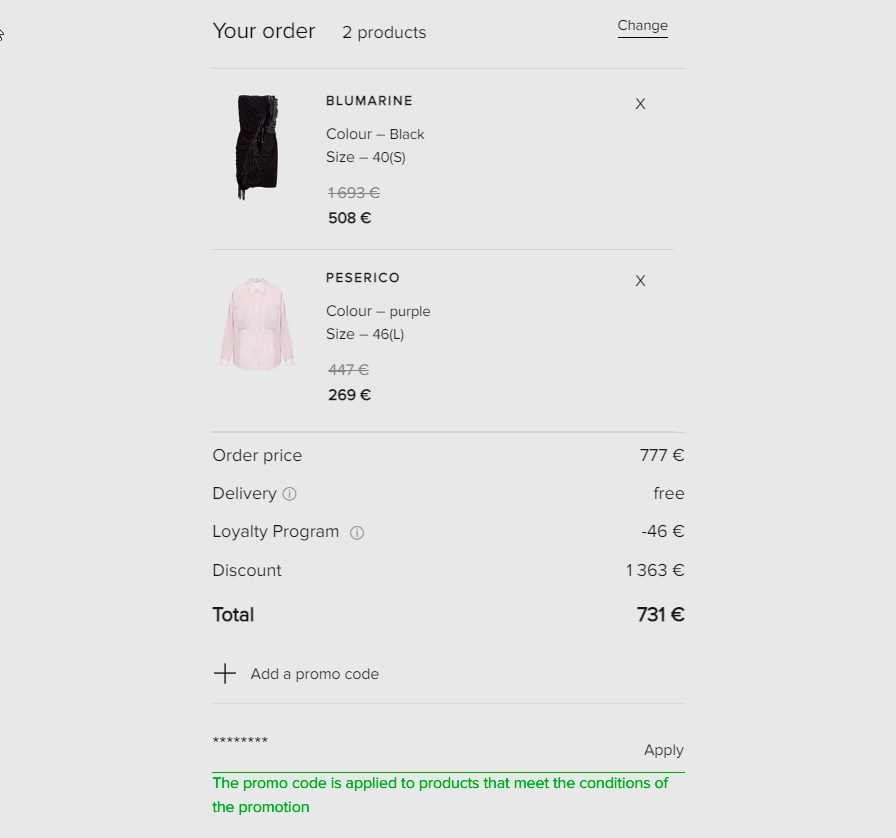
        Fill in 'Details', 'Delivery' and 'Payment'. Type or copy and paste the code into the 'Add a promo code' box and click apply.
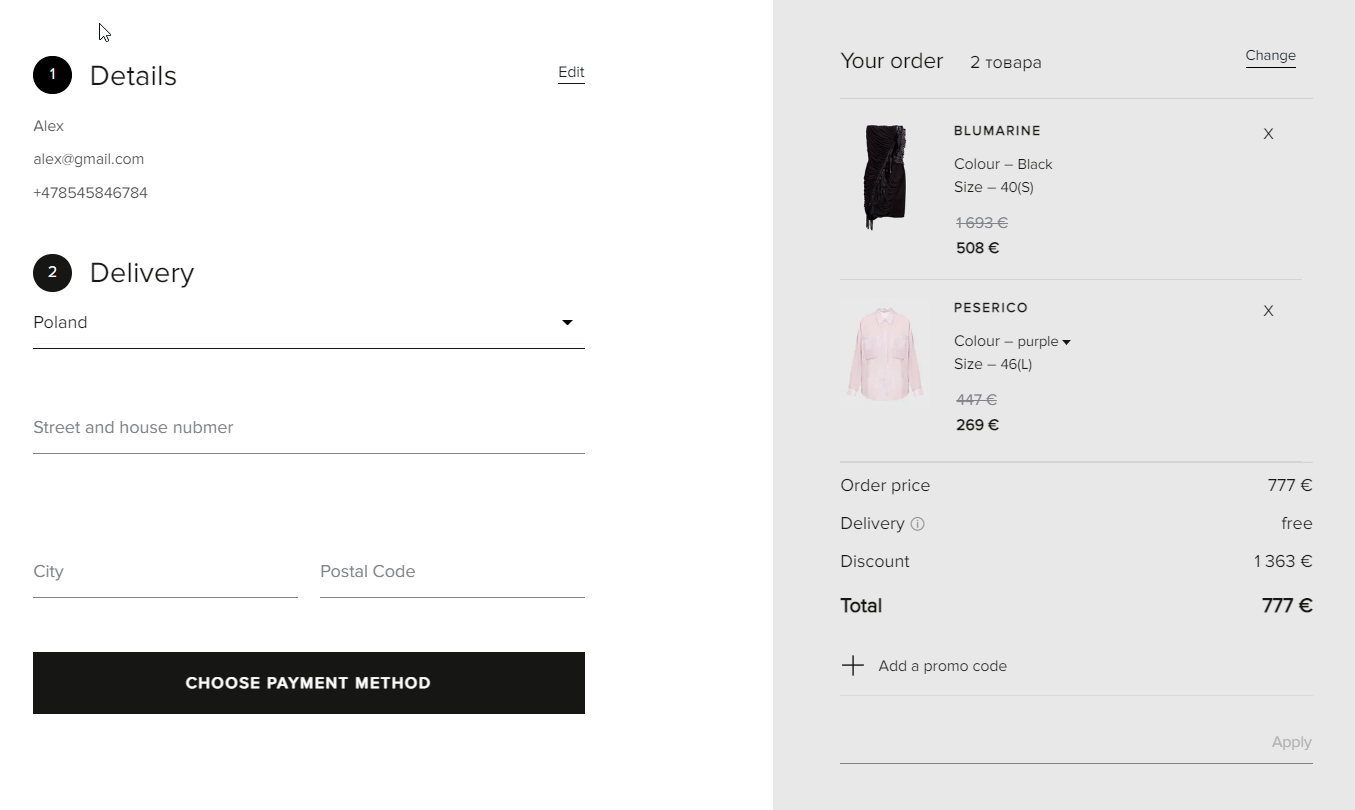
        Symbol

        When the code has been applied, you'll see the promo value and the total of your order will change to reflect the code.
        Symbol

        Promo code not working?

        Promo code not working?

        Make sure that the promo code you entered is written correctly and complies with the terms:

        Il tuo carrello
        Consegna
        • DPD Courier
        • PPL Courier
        • PickUp Point
        Pagamento

        Accettiamo carte Visa, MasterCard, Maestro, American Express. Puoi anche pagare con Google Pay, Apple Pay, PayPal.

        Vai alla cassa
        Sembra che tu abbia già selezionato molti prodotti
        Non puoi ordinare più di 5 prodotti in un unico ordine.
        Our site uses cookies

        Symbol.fashion use cookies and other technologies to keep our sites reliable and secure, to measure their performance, to deliver a personalised shopping experience and personalised advertising. To do this, we collect information about users, their behaviour, and their devices.

        If you select "That's OK", you accept this and agree that we may share this information with third parties, such as our marketing partners. If you deny we will use only the essential cookies and, unfortunately, you will not receive any personalised content.

        Detail Privacy Policy
        That's OK
        Deny

        Inserisci il tuo numero di telefono e ti richiameremo per discutere i dettagli dell'ordine.

        Grazie
        Il nostro responsabile ti contatterà al più presto.